Games to Play When Bored at School: Quick-Loading, Firewall-Proof Browser Games (2026)
Play Minecraft Classic & Flappy Bird Online Free
Instant access on Chromebooks, Windows, & Mac. Zero downloads, no admin rights required.
Every student knows the feeling: you have finished your worksheet forty minutes early, the lecture has drifted into repetitive explanations, or you are stuck in an unproductive study hall where the silence is deafening. During these moments, boredom strikes hard. Searching for games to play when bored at school becomes an urgent mission. However, you cannot simply launch heavy games that take five minutes to load or flashy titles that alert teachers across the classroom. What you need are lightweight, fast-loading, firewall-proof browser games that launch instantly and offer quick, addictive gameplay loops. At SchoolBros, we have curated the ultimate suite of boredom busters—ranging from retro casual arcade gems to stealthy puzzle titles and sandbox builders. Here is your definitive survival guide to beating classroom boredom in 2026.
- 1. What Makes the Perfect 'Bored in School' Game?
- 2. Top 8 Quick-Loading Games to Beat Classroom Boredom
- 3. Stealth Strategies: How to Play Without Getting Caught
- 4. Performance Benchmark: Load Times & Bandwidth Footprint
- 5. The Classroom Split-Screen Protocol: Multi-Tasking Discreetly
- 6. Frequently Asked Questions (FAQ)
- 7. Conclusion: Turn Boring School Hours into Pure Fun
1. What Makes the Perfect 'Bored in School' Game?
Not every video game is suitable for classroom downtime. The ideal title must satisfy four critical criteria:
Ctrl + W the second a teacher walks by, without losing your progress.2. Top 8 Quick-Loading Games to Beat Classroom Boredom
Here are our top-recommended titles for when you need instant entertainment on SchoolBros:
1. Minecraft Classic (Pure Creative Sandboxing)
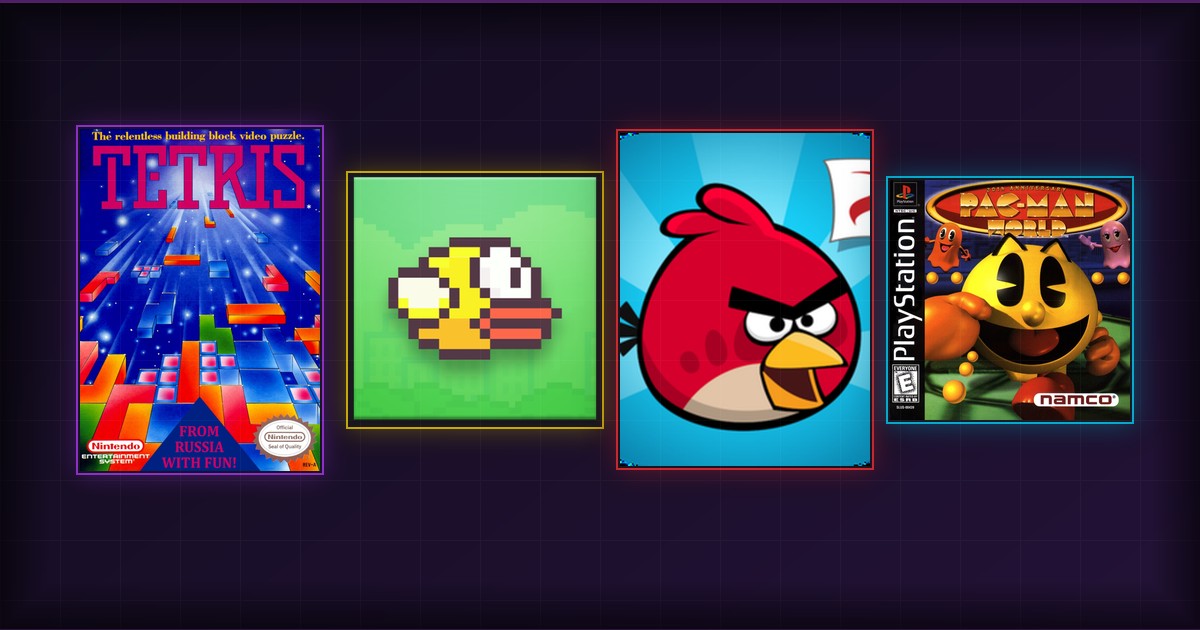
The original 2009 browser release of Minecraft. Build castles, carve underground caves, and enjoy relaxing block-placing therapy with 32 classic block types on Minecraft Classic unblocked.2. Flappy Bird (One-Button Reflex Addiction)
The notoriously difficult one-tap arcade sensation. Tap Spacebar to flap between green pipes and challenge your classmates to beat your high score in Flappy Bird online.3. Angry Birds Classic (Slingshot Physics Destruction)
Launch Red, Chuck, and Bomb across treacherous pig fortresses. Calculate trajectory angles and trigger special bird abilities on Angry Birds unblocked.4. 2048 (Hypnotic Tile Merging)
Slide numbered tiles across a 4x4 grid. It looks like a math puzzle to passing teachers, but delivers intense, addictive satisfaction as you merge toward the 2048 tile in 2048 browser.5. Classic Snake & Minesweeper
The immortal retro time-killers. Guide the growing snake around retro borders or deduce hidden explosive locations in Minesweeper unblocked.6. Pac-Man World (High-Energy Maze Escapes)
Chomp dots, avoid colorful ghosts, and collect fruit bonuses in Namco's timeless maze masterpiece on Pac-Man World.7. 3D Pinball: Space Cadet
Relive the ultimate Windows retro nostalgia. Bump flippers, hit fuel targets, and deploy secondary rockets on 3D Pinball Space Cadet.8. Super Mario Bros. (Speedrunning Fun)
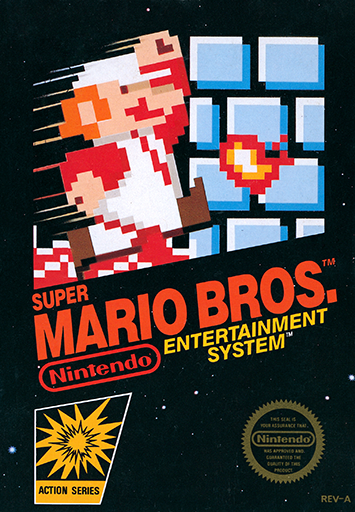
Sprint through World 1-1, stomp Goombas, jump down green warp pipes, and grab fire flowers in Super Mario unblocked.3. Stealth Strategies: How to Play Without Getting Caught
To ensure your gaming sessions remain private and disruption-free:
- Window Sizing & Split-Screening: Do not maximize your browser window. Snap your game to half the screen while keeping a Google Doc or research PDF open on the other half (
Alt + [andAlt + ]on Chromebooks). - Master the Instant Tab Kill: Keep your fingers resting near
Ctrl + W(orCmd + Won Mac) to close the active tab in a fraction of a second. - Always Keep Sound Muted: Ensure your device's master volume is muted or connect wired earbuds before opening any game portal.
- Dim Your Screen Brightness: Lowering your display brightness reduces reflections on glasses and prevents classroom screens from drawing the teacher's gaze.
Ready to Play Minecraft Classic & Flappy Bird Unblocked?
Bypass school firewalls and network restrictions. Play directly in your web browser with zero installs, full controller support, and cloud saves.
4. Performance Benchmark: Load Times & Bandwidth Footprint
Here is how our top boredom-busting titles compare on restricted school Wi-Fi:
| Game Title | Total Network Download | Load Time on School Wi-Fi | Stealth Rating |
|---|---|---|---|
| 2048 | < 150 KB | Instant (< 1s) | (Looks like Math) |
| Flappy Bird | < 500 KB | Instant (< 1s) | (One-Button Action) |
| Minecraft Classic | ~ 4 MB | 2 - 3 Seconds | (Creative Building) |
| Minesweeper | < 200 KB | Instant (< 1s) | (Classic Office Logic) |
| Tetris | < 400 KB | Instant (< 1s) | (Clean Geometry) |
| Super Mario Bros. | ~ 1.5 MB | 1 - 2 Seconds | (Colorful Platforming) |
5. The Classroom Split-Screen Protocol: Multi-Tasking Discreetly
The secret to playing games when bored in school without getting called out is avoiding full-screen gaming. Maximizing a game window makes your screen visibly distinct from fifty feet away.
Instead, master the Academic Split-Screen Method:
Ctrl + 1 or Ctrl + 2 toggles between your study material and your game in less than 200 milliseconds.6. Frequently Asked Questions (FAQ)
What is the fastest game to load on SchoolBros?
2048, Minesweeper, and Flappy Bird load in under one second because their total file sizes are under 500 kilobytes.Can school Wi-Fi track my gaming activity?
All games on SchoolBros are transmitted over encrypted TLS 1.3 on port 443, preventing network monitoring tools from inspecting game data packets.What should I do if a teacher approaches?
UseAlt + Tab to instantly switch to your homework or Ctrl + W to close the game tab immediately.
7. Conclusion: Turn Boring School Hours into Pure Fun
Boredom in school is completely optional when you have SchoolBros bookmarked. With instant-loading arcade classics, relaxing sandbox builders, and stealthy logic puzzles, you can transform empty classroom downtime into satisfying gaming sessions. Pick a game and start playing now!
Play More Unblocked Games Online Free
Explore our library of top-rated school unblocked games and play games online directly in your browser with zero downloads, 60 FPS performance, and full Chromebook compatibility:





Start Playing Minecraft Classic & Flappy Bird Right Now
Join thousands of students and retro gaming fans enjoying our unblocked web gaming catalog. Instant loading, cloud saves, and complete firewall bypass for school and office devices.
LAUNCH MINECRAFT CLASSIC & FLAPPY BIRD UNBLOCKED