What Is SchoolBros? A Complete Guide to schoolbros.uk

If you have searched for SchoolBros, School Bros or schoolbros.uk, you have probably heard a friend mention it or seen it pop up next to a search for GTA Vice City. This page is the plain-English explainer: what the site actually is, what you can play, how the games run in your browser, whether it is safe, and how to make sure you are on the real thing.
The short version: SchoolBros is a free archive of classic games that open in a normal browser tab. No installer, no account, no sign-up. Its best-known title is GTA Vice City running in your browser, but the library goes well beyond one game.
What is SchoolBros?
SchoolBros is a browser game archive that launched in 2026 with a simple goal: keep classic games playable without making people hunt for old installers, dead plugins or discontinued consoles. Many games that shaped a generation became hard to run as operating systems moved on and Flash reached end-of-life. SchoolBros packages them so they load straight into a web page.
A few things define how the site works:
- Free to play. Every game is free. There are no premium tiers and nothing to buy.
- No accounts. You never register or log in. There is simply nothing to attach an account to.
- No downloads. Games run inside the tab, so there is nothing to install on the computer you are using.
- Curated, not endless. A game is added only if it genuinely plays well in a browser. Titles that stutter or drop inputs are left out, which is why most of the PlayStation 2 era is not in the library.
The "school" in the name reflects who uses it most: students looking for something quick and familiar to play on a laptop or Chromebook in their free time. Just remember that schools set their own rules about games, so breaks, lunch and home are the right time to play.
What can you play on SchoolBros? The most popular games
The archive covers arcade, NES, SNES, Game Boy Advance, PlayStation and Windows-era PC games, alongside browser-native titles built in HTML5. These are the games most people come for:
| Game | Original release | How it runs on SchoolBros |
|---|---|---|
| GTA: Vice City | Rockstar North, 2002 | reVC engine port compiled to WebAssembly |
| DOOM (1993) | id Software, 1993 | Shareware episode via js-dos (DOSBox) |
| Tekken 3 | PlayStation, 1998 | PlayStation emulation via EmulatorJS |
| Super Mario Bros. | NES, 1985 | NES emulation via EmulatorJS |
| Minecraft Classic | Mojang, 2009 | The official browser version |
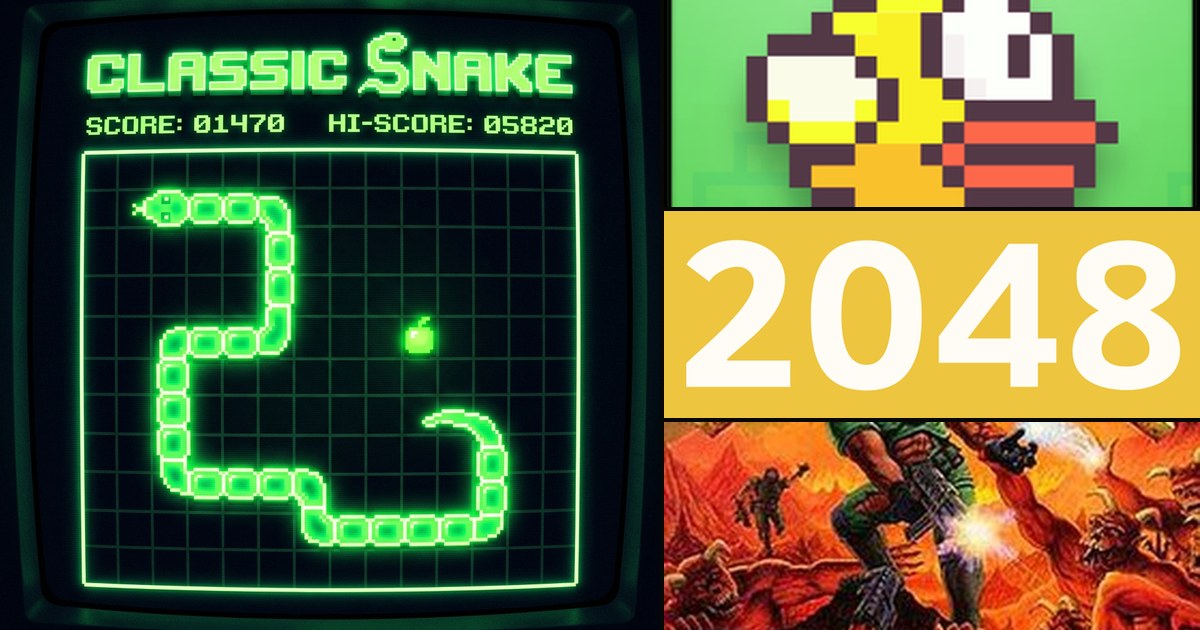
| Tetris, Snake, 2048, Flappy Bird | Various | Lightweight HTML5 versions |
GTA Vice City is the headline act. Tommy Vercetti's neon 1986 crime story is the reason many people find the site at all. Right behind it, you can play DOOM unblocked in its original shareware form, settle arguments in Tekken 3 in your browser, or speedrun World 1-1 with our Super Mario Bros. browser guide. The library also includes Need for Speed III: Hot Pursuit, Metal Slug X, Road Rash, Resident Evil 2, Street Fighter Alpha 2 Gold, Counter-Strike 1.6 and more, with over 60 games in total.
Not sure where to start? Our list of the best unblocked games to play at school ranks the quick-to-load favourites, and games to play when you are bored at school covers titles you can enjoy in a ten-minute break.
How do SchoolBros games run without a download?
The console and PC classics on SchoolBros are not remakes or rewrites. The original game runs, and a program compiled to WebAssembly runs it. WebAssembly is a web standard that lets code written for desktop software execute at close to native speed inside the browser's sandbox. Depending on the game, that program is one of a few things:
Emulators for console classics
Most of the library uses EmulatorJS, which loads a different core depending on the original system: mGBA for Game Boy Advance titles, snes9x for SNES games and a PCSX-derived core for PlayStation games such as Tekken 3. DOOM uses js-dos, a browser build of DOSBox.
Source ports and HTML5 games
A few titles work differently because they have to. GTA Vice City runs through reVC, a reverse-engineered source port of the original engine rather than an emulator, which is why it performs far better than emulating a PlayStation 2 in a tab ever could. Lighter games like Tetris, Snake and 2048 are browser-native HTML5 versions.
Where the files and saves live
Game data is stored as static files and streamed to your browser as it is needed. There is no game logic on the server: once a game has loaded, it runs on your machine, in your tab. Save states and progress are kept in your browser's local storage on your own device and are not uploaded anywhere, so clearing your browsing data also clears your saves.
Which devices does SchoolBros work on?
Because everything runs in the browser, SchoolBros works on most modern devices as long as the browser supports WebAssembly and WebGL:
- Chromebooks. Games run in Chrome on Chrome OS. Lighter titles are the safest bet on entry-level models; our Chromebook games guide lists what runs best, and the Chromebook games collection gathers browser-friendly picks in one place.
- Windows laptops, Macs and desktops. Chrome, Edge and Firefox all work. Heavier games like GTA Vice City benefit from a more capable machine.
- Gamepads. USB and Bluetooth controllers are detected through the browser in games that support them.
- Your phone as a controller. The GTA Vice City player includes a Phone Controller mode: scan a QR code and your phone's browser turns into a virtual gamepad, with no app to install. The phone controller setup guide walks through it.
Performance always depends on your hardware. If a game feels slow, close other tabs, plug in your charger and play in fullscreen.
How to find games on SchoolBros
There are four easy ways to browse:
- The games page. The full games library lists every title, with a search box and category filters.
- Categories. Browse by genre: arcade, classic, puzzle, shooter and strategy. For example, the arcade games category collects fast, score-chasing titles.
- Collections. Hand-picked groups such as Chromebook games, no-download games, retro browser games and free classic games.
- The blog. Guides for individual games, from cheats and controls to maps and move lists.
SchoolBros GTA: how to play Vice City
Most people searching "SchoolBros GTA" want one thing. To launch the Vice City player, open the game page, choose keyboard or Phone Controller mode, and the reVC engine starts in fullscreen. The first load takes longest because game files stream in; after that you can save at Tommy's safehouses and pick up where you left off in the same browser. Looking for other options? See our roundup of GTA unblocked games that work in a browser. Portuguese speakers can read the guia em português para jogar GTA Vice City online grátis.
Ready to find your next game?
Browse every free classic on SchoolBros and start playing in your browser.
Browse All GamesIs SchoolBros safe?
This is the question people ask most, and it deserves a straight answer rather than a promise. No website can honestly call itself 100% safe, and SchoolBros does not. Here is what is true about how the site works, and what you should do to stay safe on it or any free game site.
What SchoolBros does
- The site is served over HTTPS with Cloudflare protection.
- You never need an account, a password or payment details to play. If any page asks for those, you are not playing a SchoolBros game.
- Games run inside the browser sandbox, and saves stay in your own browser.
- The site uses Google Analytics for aggregate traffic, and the privacy policy linked in the footer explains what that covers. It also states the service is not aimed at children under 13.
SchoolBros is ad-supported, so browse sensibly
Running game servers costs money, and SchoolBros pays for it partly with advertising from third-party ad networks. Those networks may set cookies, and some ads open new tabs or pop-ups. Follow these habits:
- Close unexpected tabs. If an ad opens a new tab, close it and click the game again.
- Never download files or install extensions from ad pop-ups, even if they claim your browser is out of date or infected. Browser games do not need them.
- Ignore "you have won" messages and any prompt asking for a login, card number or phone number.
- Keep your browser up to date, since updates include security fixes.
- Limit personalised ads through your browser's cookie settings if you prefer.
School Bros vs schoolbros.uk: is it the same site?
People type the name several ways: "schoolbros", "school bros" and "schoolbros.uk". They all refer to the same project, and the official domain is schoolbros.uk. The brand is written as one word, SchoolBros.
Game sites with similar-sounding names exist, and they have no connection to SchoolBros. That is not a comment on them, just a reason to check the address bar. Before you play, make sure the URL reads schoolbros.uk, and bookmark the homepage so you do not need to search each time. Anything that asks you to download a "SchoolBros app" from a pop-up or enter account details is not something SchoolBros requires.
Looking for alternatives to older unblocked game portals? Our neutral comparison of Unblocked Games 66 and 76 alternatives explains the differences.
How to request a game or report a bug
Know a classic that should be in the archive? The SchoolBros contact page has options to request a game or report a bug, plus a short form for your name, email, subject and message. The page says replies usually come within 48 hours. Every request is read, but not every one is possible, because some games simply do not run acceptably in a browser. The About SchoolBros page covers the project's background in more detail.
If you hold the rights to a game hosted on the site, the DMCA page linked in the footer explains exactly what to send; notices are handled within 72 hours.
SchoolBros FAQ
What is SchoolBros?
SchoolBros is a free browser game site at schoolbros.uk. It hosts classic and retro games, such as GTA Vice City, DOOM, Tekken 3 and Super Mario Bros., that run inside a normal browser tab with no download, account or sign-up.
Is SchoolBros free?
Yes. Every game on SchoolBros is free to play and there is nothing to buy. The site is supported by advertising and voluntary contributions, so you will see ads while you browse.
Is SchoolBros safe to use?
SchoolBros is served over HTTPS and never asks for a password or payment details to play. Because it is ad-supported, use common sense: close unexpected tabs, never download files or install extensions from ad pop-ups, and keep your browser up to date.
Is School Bros the same as schoolbros.uk?
People often type the name as School Bros, with a space, but the official site is schoolbros.uk. Check the address bar shows schoolbros.uk before you play, because similarly named sites are not connected to SchoolBros.
Does SchoolBros work on a Chromebook?
Yes. SchoolBros games run in modern browsers, including Chrome on Chromebooks. Performance depends on the game and your hardware, so lighter titles run best on entry-level devices.
How do I request a game on SchoolBros?
Use the contact page at schoolbros.uk/contact/ and choose the game request option. Every request is read, but not every game can be added, because some titles do not run well in a browser.

Comments